

#100DAYSOFCODE Day65

Angular Weather App
Todos:
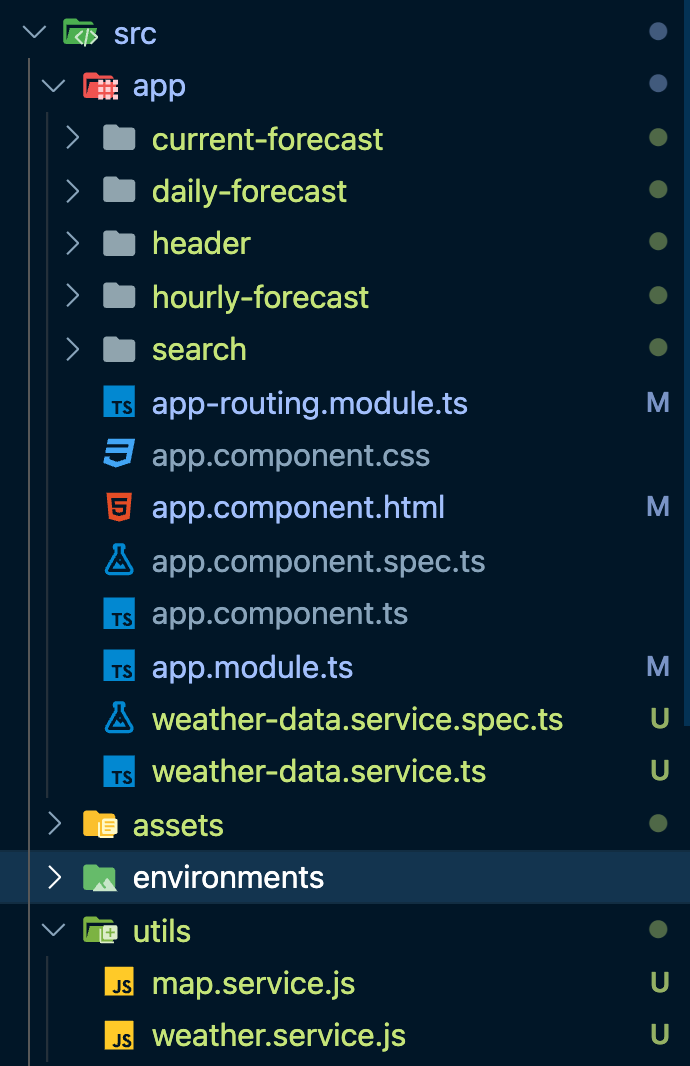
- [x] build the structure
- [x] import Bulma library
- [ ] how to fetch data
- [ ] work services
[ ] Interface: current weather/ hourly weather
Search for a command to run...
Todos:
[ ] Interface: current weather/ hourly weather
No comments yet. Be the first to comment.
### Two Main Rules - Code minimum an hour every day for the next 100 days. - Tweet your progress every day with the #100DaysOfCode hashtag.
Intermediate React Interview # Demo Code 1: fetch Data const [fetchData, setFetchData] = React.useState(null) React.useEffect(() => { fetch("https://randomuser.me/api/?results=20") .then((response) => response.json()) .then((re...
Migrate a Client-Side Application to React 18 Beta

I was asked this question in an interview. My answer was both are necessary because my experience uses Node.js to build the backend. It has to make sure that the user sent the right type of data. For the front end, Validation can give some hints if t...

Intermediate React Interview # Demo Code 1: fetch Data const [fetchData, setFetchData] = React.useState(null) React.useEffect(() => { fetch("https://randomuser.me/api/?results=20") .then((response) => response.json()) .then((re...

Review and Explore Node.js Node Globals: __dirname __filename global os, fs , http don't need install: const os = require("os") // system info const fs = require("fs") // files management const http = require("http") console.log(os.platform(), ...

Learn about TypeScript Types by Inference # let helloWorld = "Hello World"; Defining Types You can explicitly describe this object’s shape using an interface declaration: interface User { name: string; id: number; } const user: User = { name: ...
